foxCamera: Firefox 的网页截图扩展
foxCamera 是一个将网页截取为图片的 Firefox 扩展。foxCamera 大小仅为 16 KB,可以截取网页的任何区域,并将其保存为 JPEG 图片格式。要是 foxCamera 能够提供截取整个网页的选项,将更加实用。
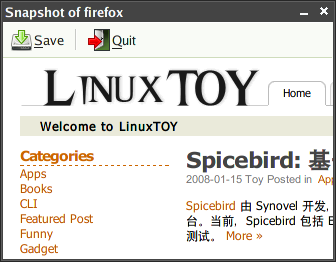
foxCamera 支持 x86 和 ppc32 的 Linux 系统,目前版本为 0.32,你可以从这里安装它。在重启 Firefox 后,右击 Firefox 工具栏可以加入 foxCamera 图标。当你需要截取网页时,点击该图标,直接拖动即会显示保存窗口。
与 foxCamera 具有类似功能的 Firefox 扩展,我们曾介绍过 Pearl Crescent Page Saver。
[via Solidot]

版权声明: 允许非商业性转载,但转载时必须标明作者及原文链接.
本文网址: http://linuxtoy.org/archives/firefox-extension-foxcamera.html
功能最强又免费的是screengrab。
不知这些扩展有什么区别。
screengrab的确不错
fireshot 支持可视部分/全页 输出JPEG/PNG/BMP/BMP+ZIP
http://screenshot-program.com/fireshot/
FireShot is a Firefox extension that creates and edits screenshots of web pages.
Unlike other extensions, this plugin provides a set of editing and annotation tools, which let users quickly modify captures and insert text and graphical annotations. Such functionality will be especially useful for web designers, testers and content reviewers.
Screenshots can be saved to disk (PNG, JPEG, BMP), copied to clipboard, e-mailed and sent to external editor for further processing.
Tired of silly utilites that grab only currently displayed area of the page?
FireShot extension integrates with Firefox and provides capturing both entire web page and only currently visible area
FireShot knows what you need.
Based on the source code of Screenshot Studio, FireShot took all the best from it including transparent GUI, vector graphic tools and bitmap processing algorithms. All you need to get a good designed screenshot is to capture page, apply transformations, add annotations if required and save it. (more about features...)
楼上的fireshot不支持Linux哦。
以前用Pearl Crescent Page Saver,只能用免费版本,现在用screengrab了。
可惜 FireShot 还不支持 Linux 系统。
这个功能不错,windows下的Theworld浏览器也有这个功能
Save As Image插件不错。可以截取整个网页,存成PNG等,比Screengrab好一些。
大于窗口的区域用Save As Image没法截, 不知道screengrab怎样呢
@kopision
大于窗口区域用Save As Image可以截取的。
quark dd~