Screenshot with style:制作 3D 截图的 GIMP 插件
在 Linux 中,我一般使用 GIMP 来处理屏幕截图。今天,我在网上找到了一个很酷的 GIMP 插件──Screenshot with style。通过 Screenshot with style,我们可以将屏幕截图制作成 3D 风格,不仅使用挺简单,而且效果也不错。不信你也试试?
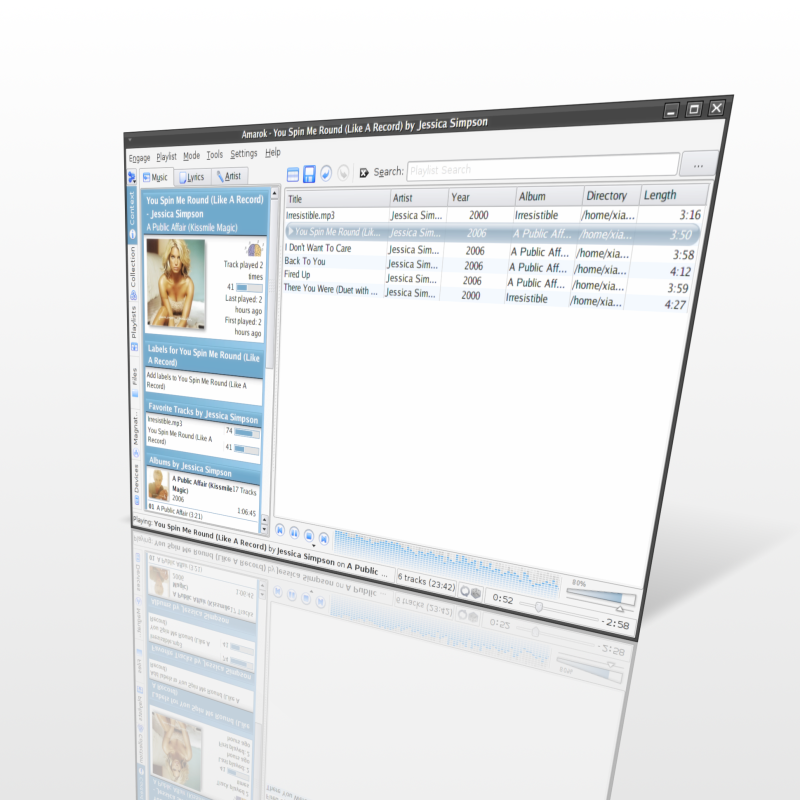
Screenshot with style 效果图
安装 Screenshot with style
安装 Screenshot with style 是很容易的。你只需把下载的 ScreenshotWithStyle.scm 文件放到 ~/.gimp-2.2/scripts/ 目录即可。
使用 Screenshot with style
先使用 GIMP 或是别的屏幕截图工具截取图像,然后在 GIMP 中,点击“Xtns → Script-Fu → Screenshot with style”菜单命令,将打开下面的设置对话框:
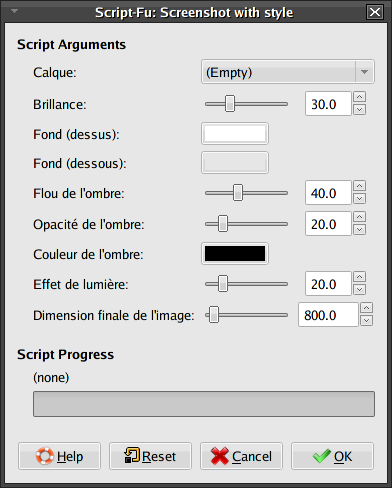
Screenshot with style 设置对话框
你可以采用 Screenshot with style 的默认设置,也可以根据自己的需要作出调整。设置完成后,单击“OK”按钮稍等片刻即大功告成。
