Quarry+GNU Go:和电脑下围棋

对于围棋迷朋友来说,应该注意到 Linux 中的 Quarry+GNU Go 这对组合,该组合不仅可以使你和电脑下围棋,而且也可以和人下围棋。其中,Quarry 主要是提供 GUI 支持,而 GNU Go 则允许你能够与电脑同台竞技。
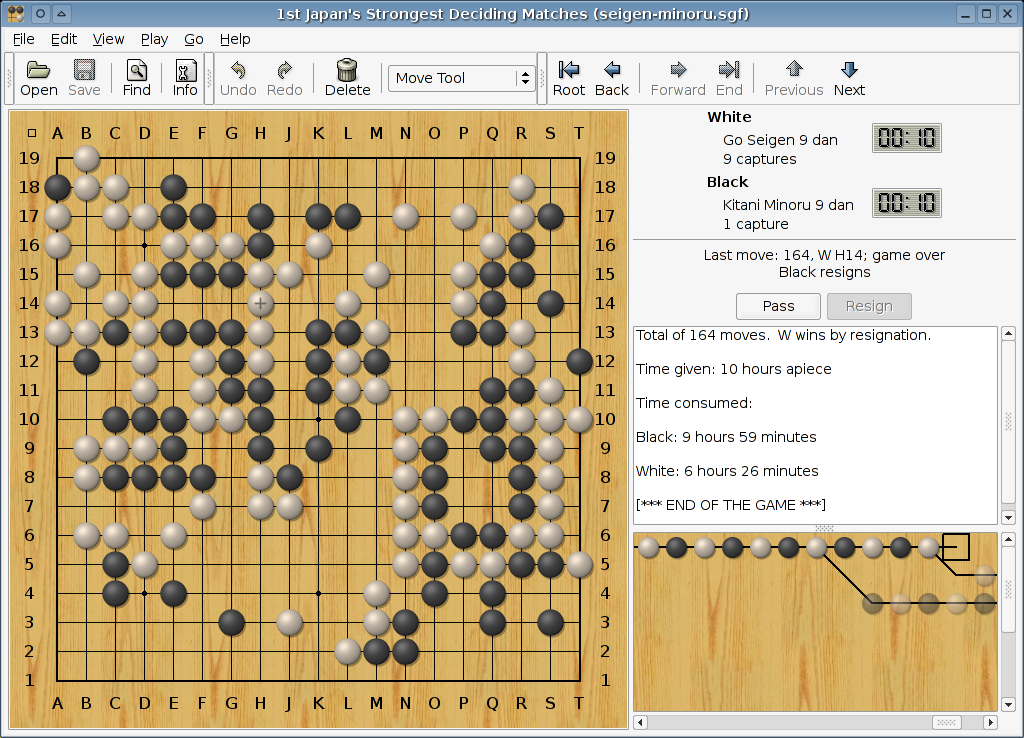
Quarry

在 Ubuntu 中,你可以通过执行 sudo apt-get install quarry gnugo 指令来安装 Quarry 和 GNU Go。然后,你可以在终端中输入 /usr/games/quarry 运行游戏。

在开始玩游戏之前,你还需要进行设置:进入“首选项 -> GTP Engines -> 添加”,在“Command line:”输入“/usr/games/gnugo --mode gtp --quiet”,点击确定即可。

(via Ubuntu Chinese Forums, thanks!)

Read More:

  • No related posts

4 Comments

  1. 1 内存不足 Commented @ 2007-02-02 14:31Reply to this comment

    我下載不到quarry这个文件

  2. 2 Toy Commented @ 2007-02-02 14:42Reply to this comment

    @内存不足:你用什么版本的系统,我在 Feisty 中: apt-cache search quarry quarry - Board games Go, Amazons, and Reversi (a.k.a. Othello)

    可以找到。

  3. 3 内存不足 Commented @ 2007-02-02 18:38Reply to this comment

    edgy版本的

  4. 4 lisir Commented @ 2007-02-02 20:40Reply to this comment

    Edgy版也有这个文件。