LinuxTOY 是一个致力于提供 Linux 相关资讯的专题站点。如果您发现了好用好玩的 Linux 东东并愿意发扬自由、分享的精神,可以点击顶部导航 Contact 按钮进行投稿。

Related entries

Meld:可视化的文件及目录比较工具

Meld,一个可视化的文件及目录比较工具,具有的基本功能包括:

  1. 能同时完成两个或三个文件的比较,并以图形化的方式给出各个文件的不同处;
  2. 能同时完成两个或三个目录的比较,突出显示不相同的文件、删减过的文件;
  3. 文件的合并;
  4. 文件编辑;
  5. 直接制作补丁;
  6. 可以比较本地文件与 CVS 中的文件;

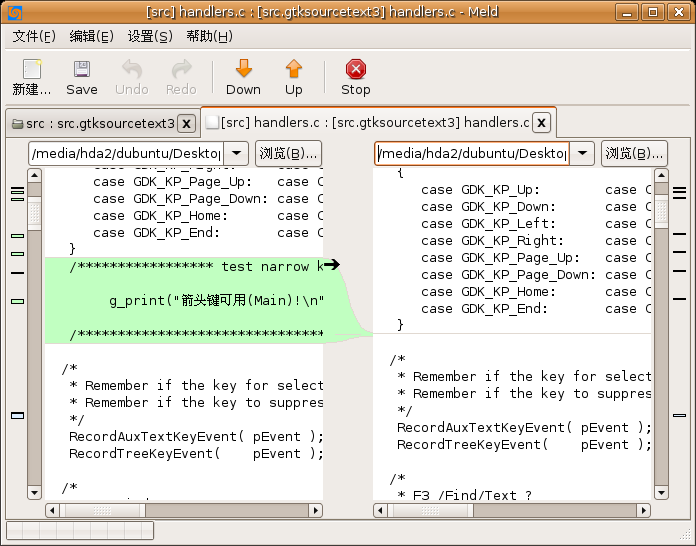
Meld 的屏幕截图如下:

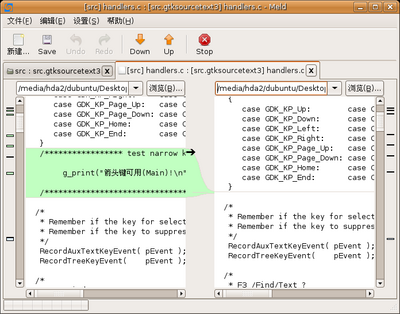
Meld 使用 Meld 比较文件

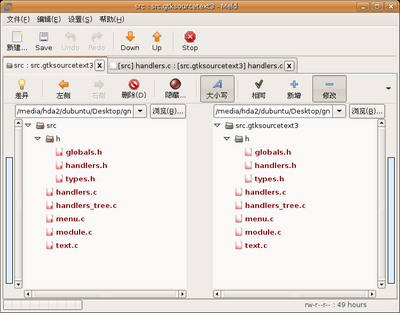
Meld2 使用 Meld 比较目录

Debian、Ubuntu 用户可以直接通过 sudo apt-get install meld 进行安装。

(非常感谢 lvjinhua 朋友的分享)

署名 • 注明出处 • 非商业性使用

8 Comments

  1. 1 lvs Commented @ 2006-10-24 10:45 amReply to this comment

    好东西,,

  2. 2 lvjinhua Commented @ 2006-10-24 10:00 pmReply to this comment

    好东西是用来共享的 :)

  3. 3 zeal Commented @ 2006-10-26 9:20 amReply to this comment

    这是一个不错的工具,用了两年多了。

  4. 4 Dieken Commented @ 2006-10-27 7:21 pmReply to this comment

    还支持 svn,可惜就是不支持像 Beyond Compare 那样方便直观的编辑功能。

  5. 5 Romeo Commented @ 2006-10-29 10:04 pmReply to this comment

    Is there any command-line version of meld?

  6. 6 Kyle Commented @ 2007-04-27 1:15 pmReply to this comment

    在对比多个目录的时候,还是用 Beyond Compare比较多。毕竟以前的工作平台是windows的。 在Review 别人代码的时候,我用emacs + ediff比较多。

  7. 7 ooo Commented @ 2008-11-13 10:36 amReply to this comment

    不错!也可以直接编辑

  8. 8 猫咪 Commented @ 2008-12-11 11:53 pmReply to this comment

    谢谢啊!