LinuxTOY 是一个致力于提供 Linux 相关资讯的专题站点。如果您发现了好用好玩的 Linux 东东并愿意发扬自由、分享的精神,可以点击顶部导航 Contact 按钮进行投稿。

Related entries

Inkscape 0.44

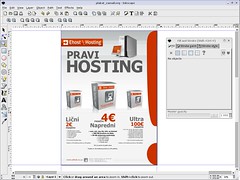
Inkscape 是开源的矢量图形编辑软件,与 Illustrator、Freehand、CorelDraw、Xara X 等软件很相似,它使用 W3C 标准的 Scalable Vector Graphics (SVG) 文件格式,支持包括形状、路径、文本、标记、克隆、alpha 混合、变换、渐变、图案、组合等 SVG 特性。它也支持创作共用的元数据、节点编辑、图层、复杂的路径运算、位图描摹、文本绕路径、流动文本、直接编辑 XML 等。它可以导入 JPEG、PNG、TIFF 等格式,并输出为 PNG 和多种矢量格式。

inkscape

下载 Inkscape 0.44

署名 • 注明出处 • 非商业性使用

9 Comments

  1. 1 leechael Commented @ 2006-06-25 1:04 pmReply to this comment

    xxd,不知道linux下有没有类似fireworks的软件?

  2. 2 leechael Commented @ 2006-06-25 1:17 pmReply to this comment

    ubuntu下: sudo apt-get install inkscape

    version:0.43

  3. 3 Toy Commented @ 2006-06-25 1:46 pmReply to this comment

    暂时还不了解,不过结合 GIMP 和 Inkscape,应该也能完成很多工作。关键取决于你的应用。可以看看这里。Ubuntu 源尚未更新到最新版。

  4. 4 huzi Commented @ 2006-06-25 2:30 pmReply to this comment

    辛苦了哈,我正在用新立得更新呢,还在下载,速度超慢,不知道是怎么回事,帮我想点办法哈。

  5. 5 Toy Commented @ 2006-06-25 3:29 pmReply to this comment

    你是用的哪里的源,如果是国内的应该要快些。

  6. 6 huzi Commented @ 2006-06-25 4:04 pmReply to this comment

    我装好了,用了下,要和WIN下的CorelDraw或是Illustrator,比比起来还是差得远哈,这个对图的组合或是简单文字的处理上一般化,我装的这个版本和你发布上来的不一样,你这个版本多了一个Effects菜单。 过下我把我的切图发到你的信箱,你注意收下。 另外你看有没有法帮我打个像迅雷或是flashget那样断点下载软件,Firefox里面下起太恼火了,速度是越来越慢。

  7. 7 leechael Commented @ 2006-06-25 5:57 pmReply to this comment

    GIMP 和 Inkscape 使用上都不习惯……

  8. 8 sytao Commented @ 2007-04-24 12:37 amReply to this comment

    看到有Mac版的。下载试试。cs3又过于太强大了。

  9. 9 Patrick’s Blog! » Blog Archive » inkscape–Linux下的AI和CD Pingbacked @ 2008-06-23 11:40 pmReply to this comment

    [...] inkscape的使用指南下载 [...]