FullerScreen-Firefox 全屏显示扩展
虽然 Firefox 本身已经具备了全屏显示方面的功能,但是仍然十分局限。这个 FullerScreen Firefox 扩展对其全屏显示功能有所增强,且定制更为灵活。
让我们先来看两张图片:
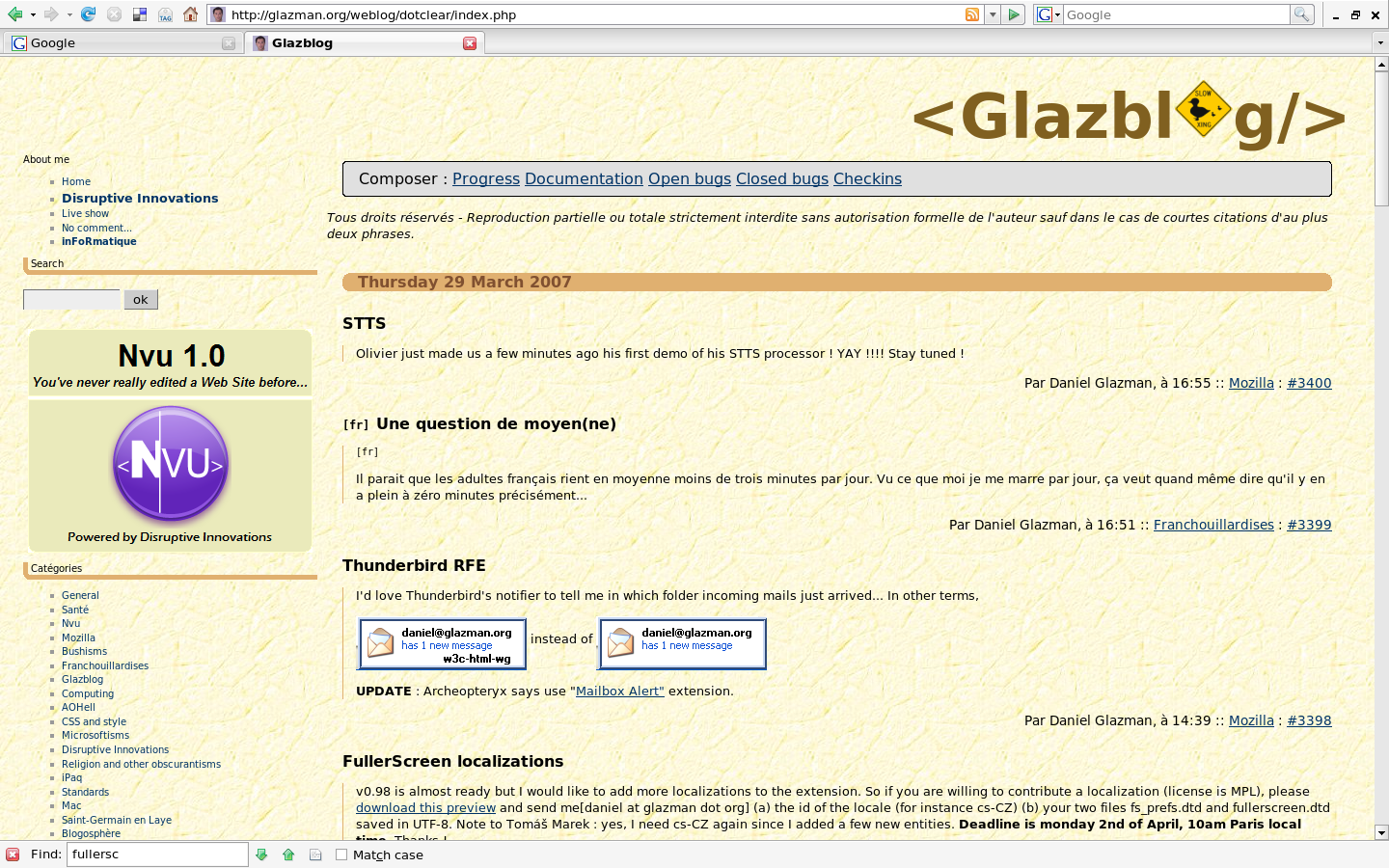
Firefox 本身的全屏显示
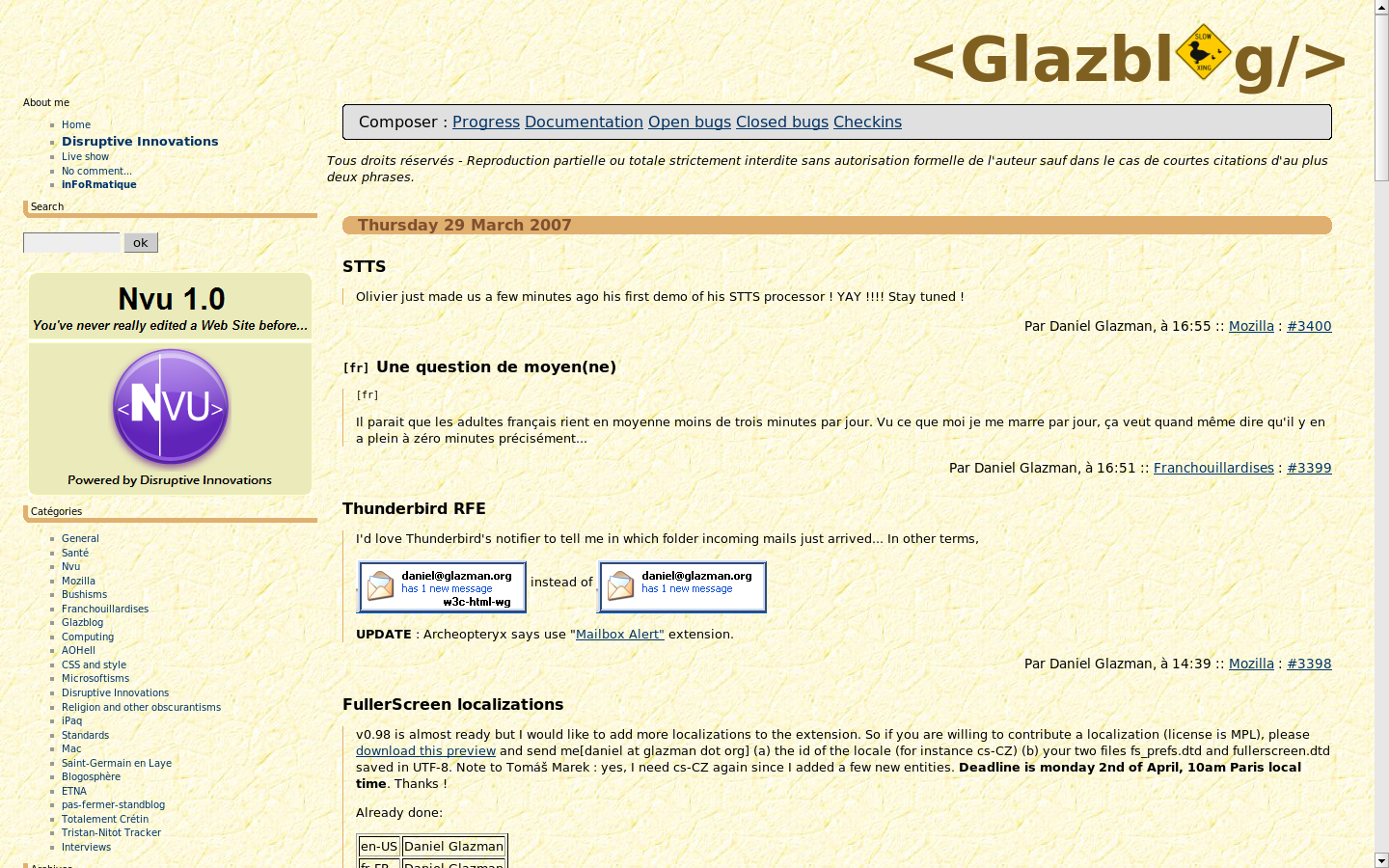
使用 FullerScreen 扩展后的全屏显示
对照两张图片,差异一目了然。Firefox 本身的全屏显示除了网页内容之外,还包括工具栏、地址栏、标签栏等。而在使用 FullerScreen 扩展后,全屏显示的完全是网页的内容。后者可以获得更为宽阔的查看空间。
在安装 FullerScreen 扩展后,需要重新启动 Firefox,按 F11 或者点击状态栏中的 FullerScreen 图标便可切换到全屏显示模式了。另外,FullerScreen 扩展提供了可定制的选项可以调整。
如果是在全屏显示状态下,需要打开新的网站,可以使用 Ctrl + l,而如果要搜索的话,则可以用 Ctrl + k。
Make Firefox full screen even better with Fullerscreen [Linux.com]
